Online or onsite, instructor-led live Photoshop training courses demonstrate through interactive discussion and hands-on practice the fundamentals of Photoshop and how to use it.
Photoshop training is available as "online live training" or "onsite live training". Online live training (aka "remote live training") is carried out by way of an interactive, remote desktop. Onsite live Photoshop training can be carried out locally on customer premises in Southampton or in NobleProg corporate training centers in Southampton.
NobleProg -- Your Local Training Provider
Southampton
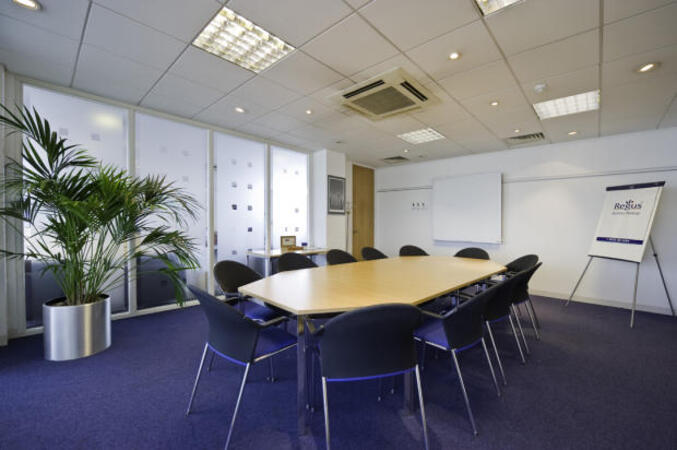
International House, Southampton International Business Park, Southampton, united kingdom, SO18 2RZ
This centre occupies a great position - highly visible from the M27 motorway. The building's focal point is a beautiful atrium flooding the reception area with natural light. A comfortable, professional business lounge and a large breakout area where you can relax or network add to the welcoming atmosphere. This is an outstanding south coast location next to Southampton airport with air, road and rail transport links on the doorstep. Regular launches and exhibitions held at the centre have contributed to its reputation as a hub of business and cultural activity. Southampton is an innovative and enterprising city with thousands of thriving organisations and tens of thousands of productive people. The most significant sectors in terms of businesses and employee numbers are distribution, tourism, banking and finance-related activities. It also has one of the top 10 research-led universities in the UK, which provides a wide range of services to the business community.
This instructor-led, live training in (online or onsite) is aimed at beginner-level to intermediate-level photo enthusiasts and graphic designers who wish to use Adobe Photoshop Elements to edit and enhance their photos.
By the end of this training, participants will be able to:
Edit and enhance their photos with various tools and functions.
Organise and manage their photo collections with the organizer.
Create and share photo projects such as slideshows, collages, and calendars.
Apply artistic effects and filters to their photos.
Perform basic and advanced photo retouching techniques.
We invite you to take part in a course devoted to image processing using Adobe Photoshop.
The course is aimed at those who want to learn how to "fight" with the colors, how to "save" the image to prepare them for the show, how to do the editing, retouching, collage, how to use the RAW format ...
We will show how you can fine-tune shots so that they drawn from the best. We will discuss all the tools at work photo editor.
You will have the opportunity to acquire new knowledge illustrated dozens of examples and preserve it in the form of exercises performed under the care of the teacher. In addition, you can access the prepared materials. Benefit from the experience of experts to save time avoiding random walk.
In this instructor-led, live training, participants will learn how to use Adobe Photoshop's photo-enhancement features as they step through a series of hands-on exercises to improve the quality of a set of sample photographs.
By the end of this training, participants will be able to:
Apply Photoshop's photo enhancing features to alter the quality of a photograph
Adjust the sharpness and blur to bring out the key features of a photograph
Change the coloring and facial expressions in photographs
Prepare photographs for printing or development
Audience
Photography beginners and enthusiasts
Format of the course
Part lecture, part discussion, exercises and heavy hands-on practice
Graphics programs Adobe is a set of tools for creating, editing and manipulating graphics, multimedia and documents. Adobe Systems is known for creating many professional programs dedicated to graphics, multimedia, photo editing, website design and more. Here are some of the main graphics programs created by Adobe: Adobe Photoshop Jest is one of the most popular raster graphics editing programs. It allows you to manipulate photos, create graphics, retouch, color correction and many other advanced operations. Adobe Illustrator Focused on vector graphics, Illustrator lets you create logos, illustrations, vector graphics, typographic designs, and more that can be scaled without losing quality.
Read more...
Last Updated:
Testimonials (1)
Jarek was very, very determined to make me as knowlegable as possible to be able to use those programmes afterwards, even though the time was very limited to be successfull. He not even pushed breaks, so we could squeeze even more knowledge in. Fantastic! Very, very sweet!
Online Photoshop training in Southampton, Photoshop training courses in Southampton, Weekend Photoshop courses in Southampton, Evening Adobe Photoshop training in Southampton, Photoshop instructor-led in Southampton, Adobe Photoshop coaching in Southampton, Adobe Photoshop classes in Southampton, Adobe Photoshop one on one training in Southampton, Photoshop private courses in Southampton, Photoshop instructor in Southampton, Photoshop on-site in Southampton, Online Adobe Photoshop training in Southampton, Adobe Photoshop trainer in Southampton, Evening Photoshop courses in Southampton, Adobe Photoshop instructor-led in Southampton, Adobe Photoshop boot camp in Southampton, Weekend Photoshop training in Southampton